


CineTap
4.520.00 Reviews
App Specs
- Version
- 3.3
- Updated On
- License
- Free
- Downloads
- 50,000+
- Developer
- Khalid.bdarnh
- Categories
- Video Players & Editors
- Platform
- Android
Screenshots
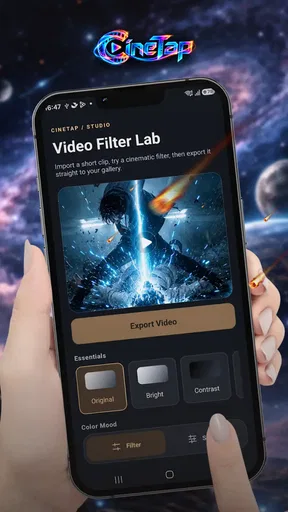
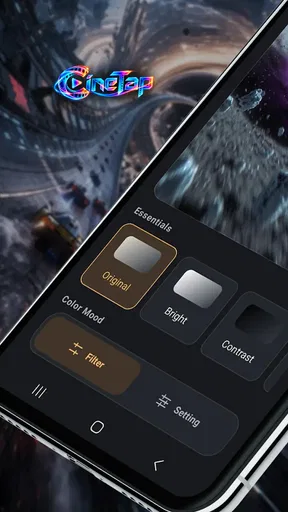

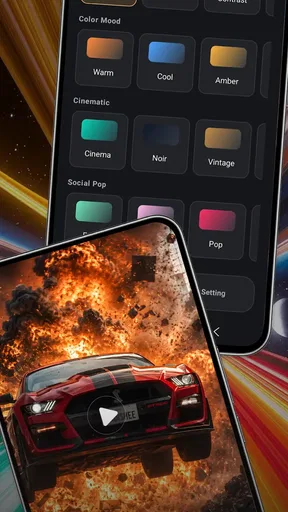
 Analysis by AppCompare
When I need to turn a short recording into something ready to share, I care less about a long effects menu than about getting the useful part cut cleanly and out the door. CineTap is aimed at that practical end of video editing: shaping a clip, trimming its length, and exporting the result. I see its appeal in a focused job rather than an elaborate production workflow. If your usual edits are quick fixes to footage you already have, that focus could be welcome; if you want a full creative suite, it is worth setting expectations accordingly.
Start with the clip you actually need
Before choosing any mobile editor, I find it useful to ask what the finished video has to accomplish. A family update, a quick tutorial, and a work handoff may all come from the same recording, but each benefits from a different amount of context. That decision helps you avoid treating every clip as though it needs the same tight cut.
For a first-time editor, the practical question is not whether an app can do everything, but whether its main job matches the next video you need to finish. If you have one recording and want a cleaner excerpt, CineTap’s focused role is easier to approach than a full editing workspace. If you are still shaping the idea, collecting shots, or building a visual style, it makes more sense to choose a broader tool at the beginning.
From rough footage to a clear starting point
Video editing often begins with a simple problem: the moment you want is buried inside a longer recording. A useful first step is to decide what the finished clip needs to do. Is it a quick update for friends, a short product demonstration, or a clean excerpt for a work presentation? With that purpose in mind, trimming becomes more than cutting away seconds; it becomes a way to give the clip a beginning and ending that feel deliberate.
CineTap is a free video editing app from Khalid.bdarnh, in the video players and editors category. Its stated role is compact, which makes it easier to judge: it is for editing, trimming, and exporting videos, not for replacing every tool in a creator’s setup. I would approach it with one source clip and a defined outcome rather than expecting it to supply a complete production pipeline.
That distinction matters before you install any editor. If you mainly want to remove an awkward pause, shorten a recording, or prepare a more watchable excerpt, a small-purpose tool can be more approachable than a broad editor with layers of controls. On the other hand, a project that depends on detailed titles, multiple tracks, or elaborate visual treatment needs capabilities beyond the job CineTap is presented to handle.
The app has a 4.5 average from around 1.4 thousand ratings, with 50 thousand or more installs. Those figures suggest it has found an audience, but they do not tell me whether its editing approach matches yours. I would use them as context, then decide based on the kind of footage and finishing work I regularly need.
Worth Reading Before You Choose

Baby Panda World Brings Quick Play to Modern Phones, but Its Game Library Feels Busy

ESPN’s Live Game View Makes Following Close Games Easier

QuizzLand Review: A Good Fit for Short Trivia Breaks, Not Every Player

Basketball Stars: Multiplayer Is Fast, but Can It Recover When Matches Go Wrong?

WEBTOON Turns Phone Updates Into a Better Reading Routine

Link to Windows Runs on Shared Habits, Not Social Feeds
Choose the job before opening the editor
A practical way to get value from a focused trimming app is to make a rough edit plan first. Note the moment where the clip should start, the point where it should end, and whether the audience needs any context before the main action. This small step helps prevent a common mistake: cutting so tightly that the result feels abrupt or confusing.
For example, if I recorded a short cooking demonstration, I might remove the time spent setting the camera down, keep the key preparation steps, and leave a little breathing room at the end. That is a more realistic use for CineTap than trying to turn the recording into a polished, multi-scene video with a designed identity. The difference is not just ambition; it affects whether a straightforward editor is the right fit.
Making a useful edit without overworking it
For a short clip, the most valuable edit is often restraint. I would first watch the original all the way through, identify the strongest section, and then trim around that moment. Editing before deciding what the viewer should notice can lead to repeated adjustments that do not improve the story. A simple purpose keeps the process grounded: keep what supports the point and remove what distracts from it.
One useful trade-off with a compact editor is speed of decision-making versus creative control. A tool designed around basic editing can suit a person who wants to make a clip usable without learning a complex timeline. But anyone who likes to fine-tune several visual and audio elements independently may find that a trimming-first workflow is limiting. I would not choose an app solely because it can shorten a video if the finished piece needs a more involved structure.
Another practical tip is to preserve the original recording until you have checked the exported version. Keep the source as your fallback, especially if the clip matters for work or an event. This is a good habit with any editor, and it is particularly helpful when your goal is a quick turnaround: you can review the final copy without losing the option to revisit the original.
For a creator deciding whether to use CineTap, an important question is whether the task begins and ends with a trimmed video. If the answer is yes, its narrow purpose may help keep the workflow manageable. If the task includes arranging many shots, adding a visual identity, or building a carefully layered soundtrack, I would compare it with a full-featured mobile editor before committing to the project.
Iteration: make changes that improve the viewing experience
It is tempting to keep adjusting an edit simply because the controls are available. I prefer to iterate against a clear test: does the new cut make the clip easier to understand, more direct, or less distracting? If not, the change may be unnecessary. For a short social update, even a small cut at the beginning can make the video feel more intentional, while shaving every pause can make a person sound hurried.
A useful, less obvious check is to review the clip once without focusing on the edit itself. Watch as if you were seeing it for the first time. Does the opening explain what is happening? Does the ending feel complete, or does it stop mid-thought? This kind of viewing catches problems that are easy to miss when you are concentrating on trimming points.
I would also make separate versions when the same recording serves different purposes. A concise cut for a quick message may not be the right version for a presentation, where a little more context could help. Keeping those intentions separate avoids forcing one edit to satisfy audiences with different needs. CineTap’s straightforward role is most useful when the change between versions is mainly about selecting a different portion of the source.
There is a limit to what repeated trimming can solve. If a recording is poorly framed, hard to hear, or missing an important moment, cutting it shorter will not turn it into a complete production. In that situation, I would either use another recording, capture a short replacement clip, or move to an editor that supports the additions the project needs. Recognizing that boundary saves time and prevents disappointment.
Small workflow choices that save a second pass
When a clip is meant for someone else, I would decide the handoff format before editing rather than after. A message to one person can tolerate a little context that a quick public post may not need; a presentation excerpt may need a more gradual lead-in so viewers understand what they are seeing. The useful habit is to edit for the recipient, not simply for the shortest possible duration.
I also recommend checking the source clip for more than the obvious beginning and ending. A brief pause can carry meaning, such as a speaker taking a breath before an important instruction. Cutting it away may make the video shorter but less natural. Conversely, leaving a long camera setup at the start can make a useful demonstration feel unfinished. The right cut depends on whether each quiet moment helps the viewer follow along.
For repeated tasks, a simple naming routine can prevent confusion: keep the original clearly identifiable and give each exported version a name that describes its audience or purpose. This is especially useful when one recording becomes both a casual share and a work reference. It does not add editing complexity, but it reduces the chance of sending the wrong cut when several versions are sitting together.
Export, handoff, and the creator verdict
Export is the point where a private edit becomes a deliverable, so I treat it as a review stage rather than a final button press. After exporting, I would play the finished file from beginning to end and check that the chosen opening and ending still feel right. I would also confirm that it is the version intended for the recipient before sharing it. Those checks are simple, but they matter when a clip is being sent to a colleague or posted publicly.
A realistic everyday scenario is recording a quick explanation for a group chat: perhaps I need to show how to reach a meeting room or demonstrate a small fix around the house. The original might include fumbling with the camera and a pause while I gather my thoughts. A focused trim can make the useful explanation easier to follow, then the exported copy can be handed off without asking everyone to sit through the setup. For that kind of small task, a straightforward editor is a sensible category of tool.
For more formal delivery, I would be more cautious. If a client expects branded titles, carefully balanced audio, several scenes, or exact control over the visual sequence, I would choose an editor built for those demands. CineTap is better considered for getting a basic cut into usable shape than for managing every stage from creative brief to polished campaign. Matching the tool to the deliverable is more important than trying to stretch a simple workflow into a production system.
The current version is 3.3, and the app is listed for devices running Android 7.0 or later. Its content rating is Everyone, so it is presented for a broad audience. It is free, which makes it easy to try for a small editing task, though I would still judge it by whether the actual workflow fits the project rather than by the price alone.
One follow-up question many people have is whether this is the right choice for a first-time editor. I think it can be a reasonable place to start if the goal is limited to trimming and exporting: the task itself is easy to understand, and the user can focus on the clip rather than learning a large editing environment. A beginner who wants to build a video from many parts, however, may be better served by learning a broader editor from the outset.
Another question is whether it suits frequent creators. That depends on what “frequent” means. If you regularly prepare short, simple clips and want a focused step in the process, it may fit. If every post needs captions, graphics, layered sound, or a distinct look, a specialized or more comprehensive editing app is likely a better long-term choice. The number of videos you make matters less than the complexity of the edits.
I would also ask whether it is useful for work. For an internal update or a quick visual explanation, a trimmed clip can be perfectly adequate. For a presentation or public-facing piece, I would review the result carefully and check that it meets the expectations of the audience. A tool that handles a basic cut is not automatically the right tool for every professional handoff.
My overall view is that CineTap makes most sense when the creative brief is modest and clear: take existing footage, remove the parts that do not help, and export a more focused video. I would recommend it to someone who values a direct trimming workflow and does not need a full editing desk on a phone. I would skip it for projects that depend on extensive composition or detailed finishing. Used for the right job, it can keep a small video task from becoming a bigger one.
Pros
- Simple interface makes browsing movies and shows straightforward.
- Useful search helps you find specific titles quickly.
- Personalized recommendations can help you discover new content.
- Watchlist tools make it easy to keep track of titles to view.
- Convenient access to entertainment information on mobile.
Cons
- Content availability may vary by country or region.
- Recommendations may not always match your interests.
- Some features or listings may require an internet connection.
- The app may not offer every title shown in its catalog.
- Ads or premium features may affect the browsing experience.
FAQs for CineTap
What is CineTap, and what can I use it for?
CineTap is a movie-focused app intended to help users explore film-related content. What it offers can vary by version and region, so check the app’s store listing and its on-screen descriptions before installing. In particular, confirm whether CineTap provides discovery tools, trailers, watchlists, or streaming links, rather than assuming that every film shown in the app is available to watch there.
Can I watch full movies or TV shows directly in CineTap?
Do not assume that CineTap includes full-length films or television episodes simply because it displays titles or artwork. Some movie apps focus on browsing, recommendations, trailers, or information and direct viewers to other services for playback. Before relying on CineTap as a streaming service, review its current description, playback options, and any subscription or rental terms shown in the app.
Is CineTap free to download, and are there additional costs?
The download price and any in-app charges depend on the version available in your country and may change over time. An app can be free to install while offering optional purchases, subscriptions, or paid access to selected content. Check the Android or iOS store listing for pricing and in-app purchase details, and review any payment screen carefully before confirming a transaction.
What permissions or personal information might CineTap require?
The information CineTap collects and the device permissions it requests can depend on the app version and your settings. Review the privacy information in the store listing, then examine permission prompts when you first use the app. A movie-discovery feature may not need access to every part of your device, so consider whether each request makes sense for the feature you are trying to use.
Is CineTap available on both Android and iOS, and how can I check whether it is safe to install?
Availability can differ by country, device, and operating-system version, so search for CineTap in the official Google Play or Apple App Store and confirm that the listing matches the app you want. Check the developer name, recent updates, user reviews, and stated compatibility before downloading. Installing from an official store also helps reduce the risk of downloading an unofficial or altered copy.


